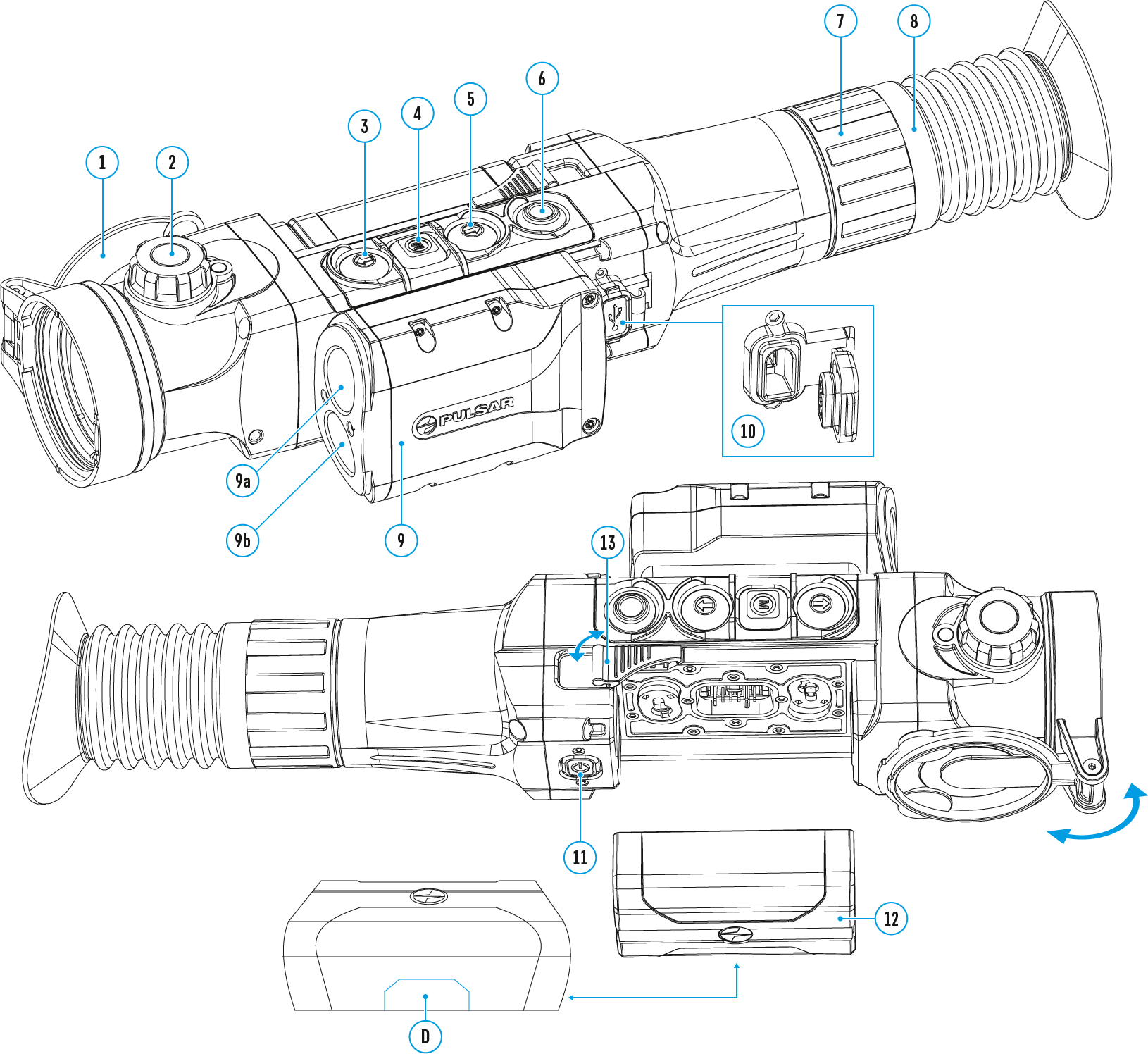
The Quick Menu allows to change the basic settings (display brightness and contrast, discrete digital zoom and zeroing distance).
- Enter the menu with a short press of М (4) button.
- To select the functions below, press successively М (4) button.

Brightness  – press UP (3)/DOWN (5) buttons to change display brightness from 0 to 20.
Contrast  – press UP (3)/DOWN (5) buttons to change display contrast from 0 to 20.
Note: display brightness and contrast settings are saved in the memory when the unit is turned off.
Base mode 
 – it allows you to select one of the three observation modes (Forest, Rocks, Identification) as a base for the User mode.
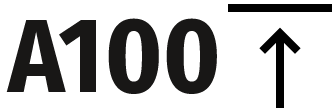 - information on the actual profile and zeroing distance, at which zeroing was done in this profile (for example, profile A, zeroing distance 100 m). Select zeroing distances with UP (3)/DOWN (5) buttons. This option is available when more than one distance is saved.
Smooth digital zoom  – press UP (3)/DOWN (5) buttons to change digital zoom in 0.1x increments.
- Exit the quick menu with a long press of М (4) button or wait 10 seconds to exit automatically.
 English
 German
 French
 Spanish
 Italiano
 English
 Lietuvių